
Smart Cycle
Choose a flow, create a cycle, track its status and request assistance with Claim.

Before you start
Wallet and network
Connect your wallet to BNB Smart Chain. Connecting a wallet does not transfer funds.
Funds
Keep the required USDT BEP-20 amount and about $5 in BNB for network fees.
Official access
Open the personal account only at app.atlas-system.tech and check the address before confirming a transaction.
Choose Lockup Flow or Daily Flow
The flows differ in term, assistance schedule, amount limits and calculation rules.
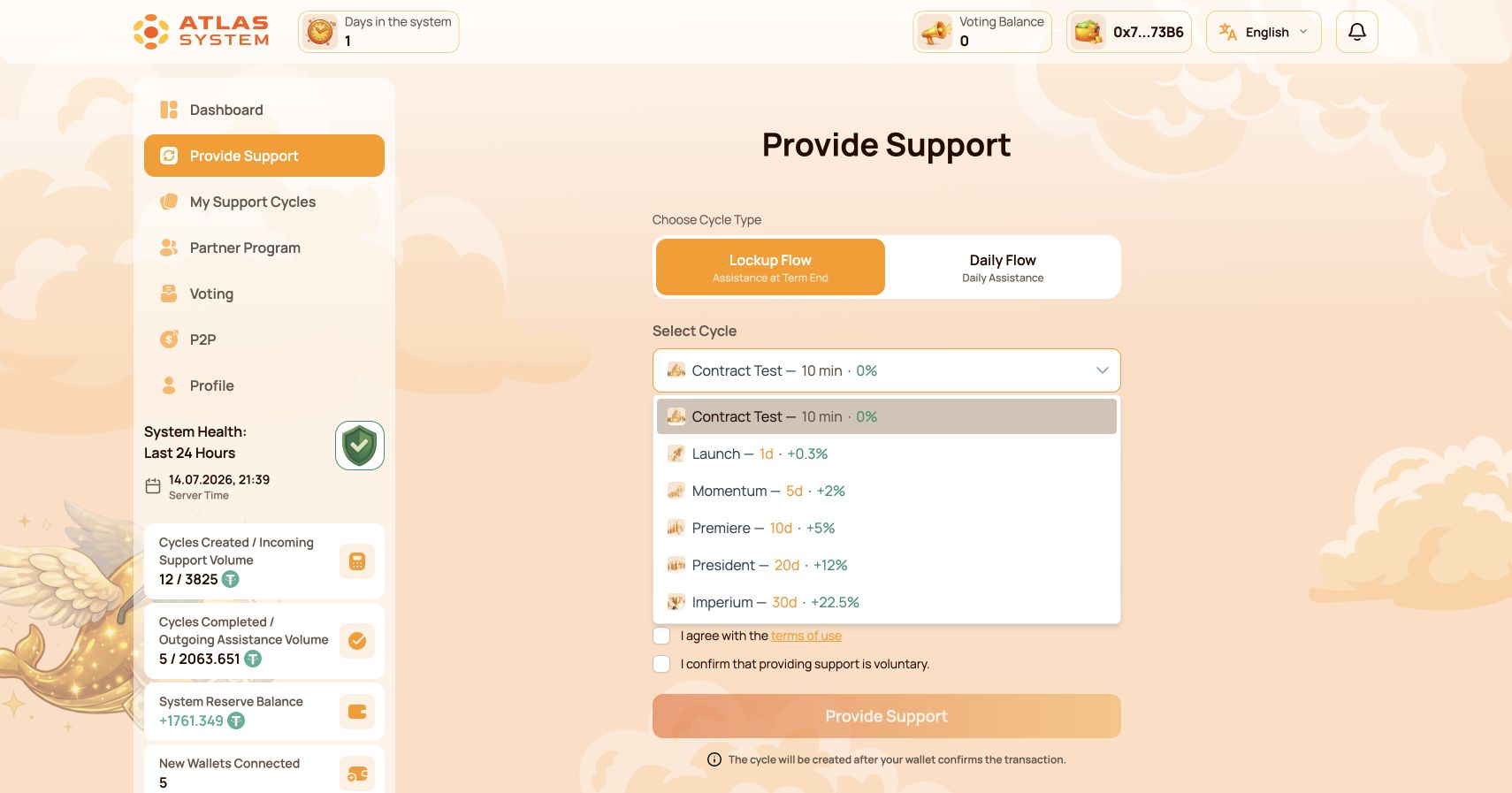
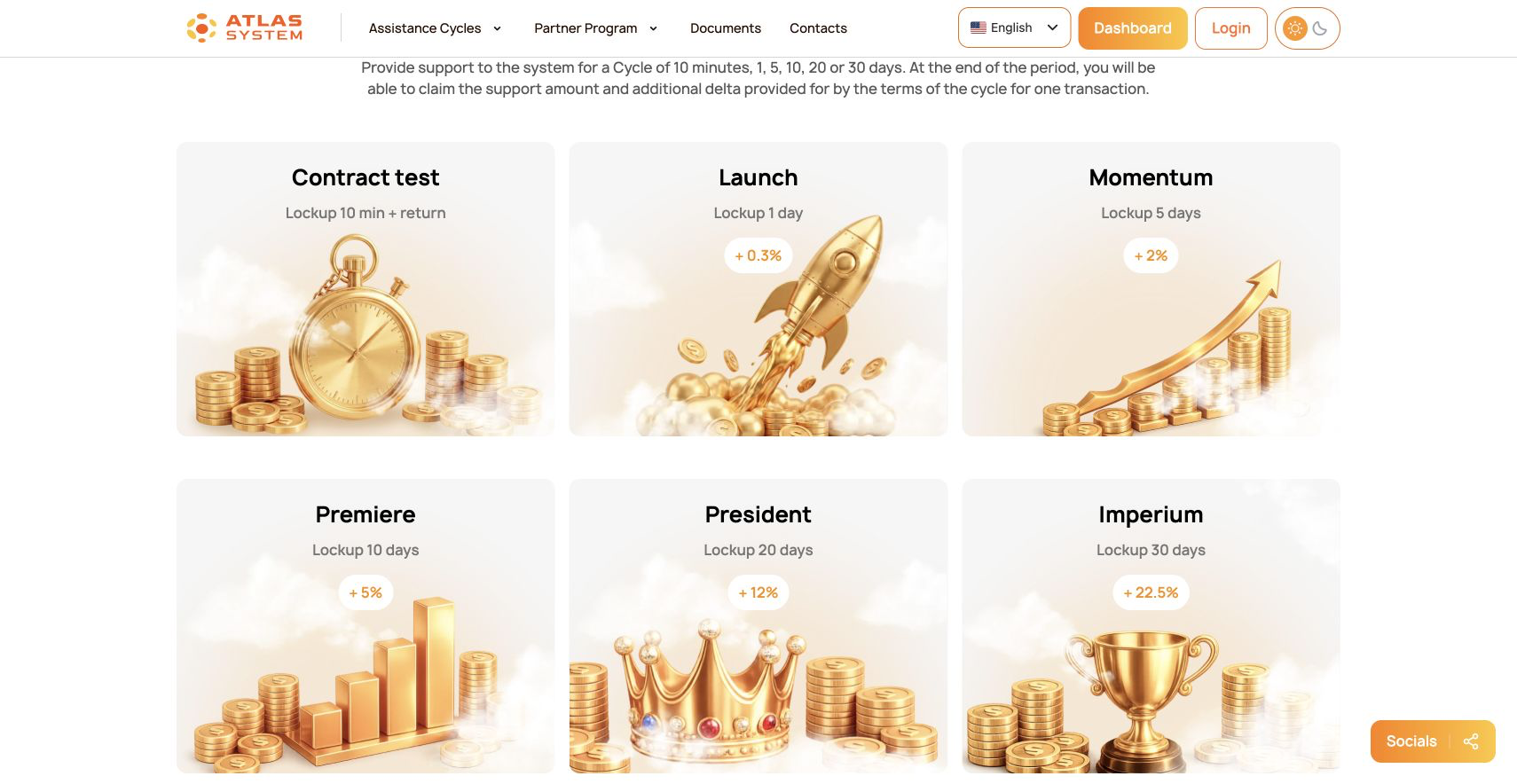
Lockup Flow
One Claim becomes available after the selected term ends. The original Support Amount and calculated assistance are requested together.
- Terms from 10 minutes to 30 days
- Six tariffs for testing and regular cycles
- Best first step: Contract Test
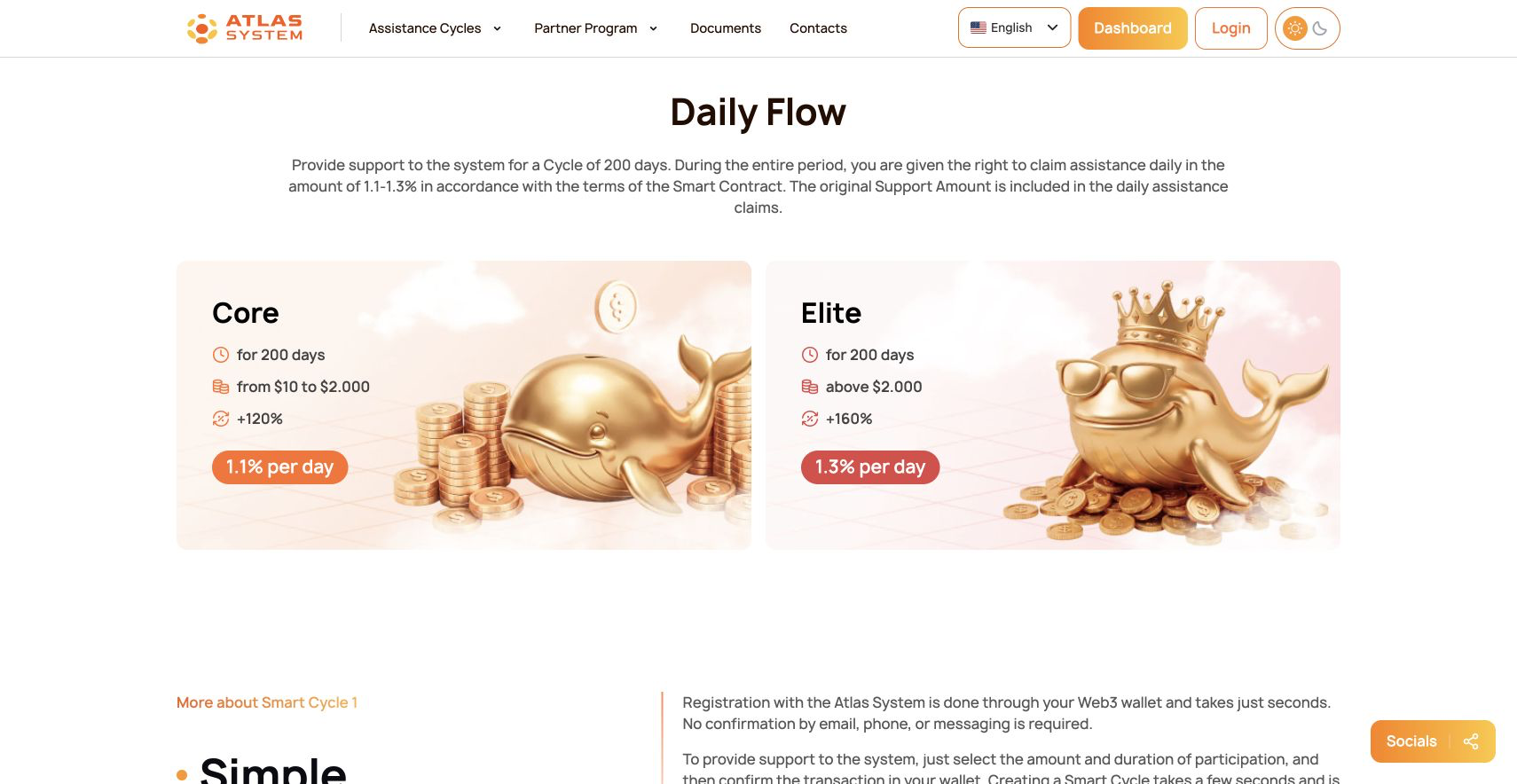
Daily Flow
The cycle lasts 200 days. Assistance can be requested daily under the Smart Contract rules; the original Support Amount is included in daily claims.
- Core: $10–$2,000; 0.5% original Support Amount + 0.6% Delta = 1.1% per day; +120% total
- Elite: above $2,000; 0.5% original Support Amount + 0.8% Delta = 1.3% per day; +160% total
Create a cycle
Open the form
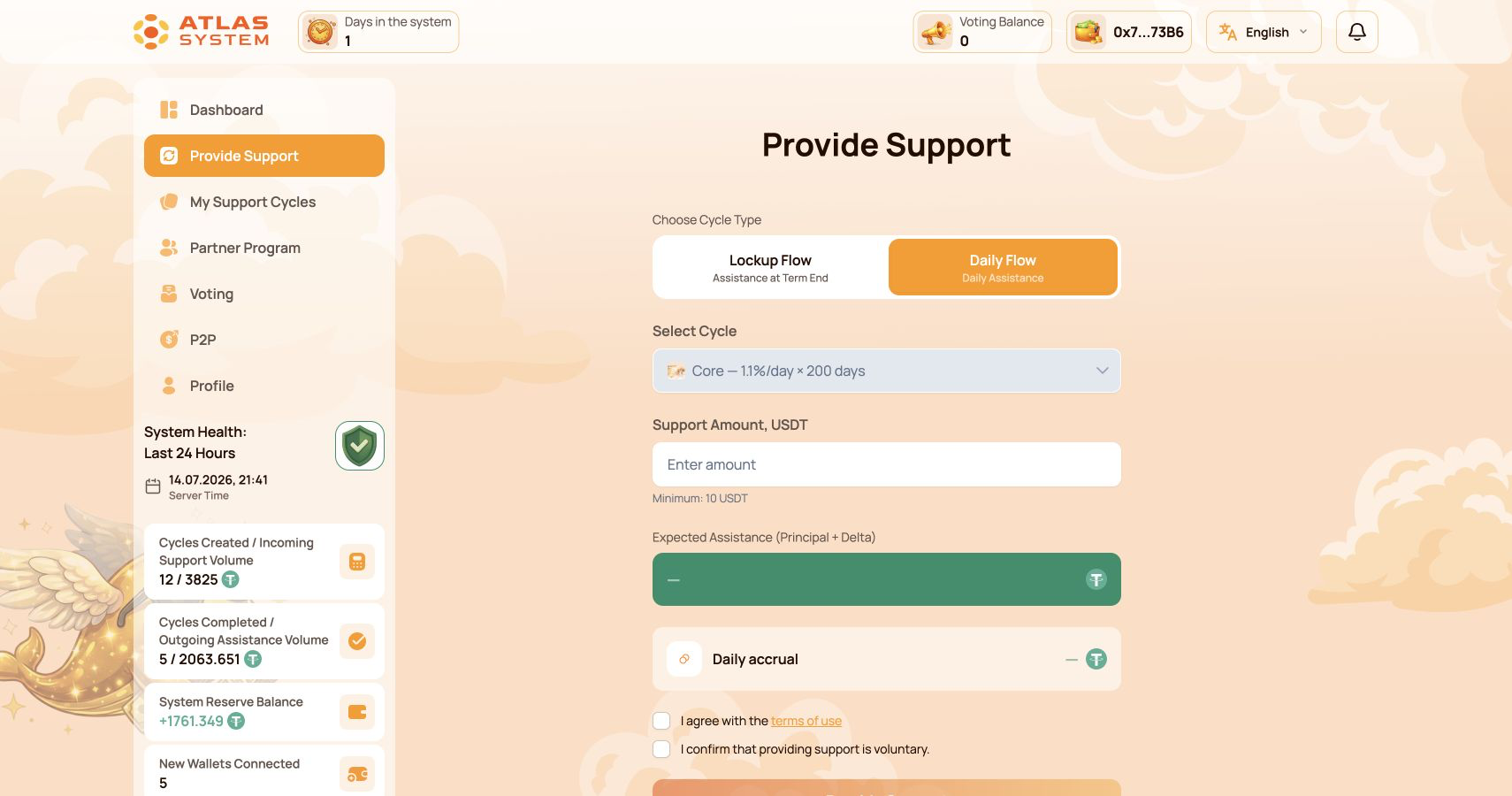
In the personal account, select Provide Support.
Select a flow
Choose Lockup Flow or Daily Flow.
Select a tariff
Check the term, limits and calculation shown on screen.
Enter the amount
Specify the Support Amount in USDT.
Review the result
Check Expected Assistance, Delta and dates.
Confirm terms
Accept the terms and confirm that the action is voluntary.
Submit
Click the action button and review the wallet request.
Confirm in wallet
Verify the network, token, amount and BNB Gas.
Wait for status
The cycle appears in My Support Cycles after blockchain confirmation.
Track the cycle and its status
Open My Support Cycles. The card shows the amount, tariff, dates, calculated assistance and available actions.
Active
The cycle is running. Check its end date or the next daily assistance period.
Completed
The selected term has ended or the cycle has finished under the contract rules.
Use Operations History and the transaction link to verify the operation in BscScan.
Request assistance with Claim
Lockup Flow
After the term ends, request the available amount in one transaction.
Daily Flow
Request the available daily assistance according to the contract rules. The original support is included in daily claims.
Choose a cycle
Open My Support Cycles and select the required cycle.
Check the amount
Review the amount currently available for Claim.
Confirm
Click Claim, then confirm the transaction in your wallet.
What the platform fee applies to
The platform fee is 10% of Delta and Partner Rewards. It is not charged on the original Support Amount.
Blockchain network fees are separate and are paid in BNB.
Common issues
The cycle is not visible
Wait for blockchain confirmation, refresh the page and make sure the same wallet is connected.
Claim is unavailable
Check the term, cycle status, current available amount and contract rules.
The wallet requests approval
This is normally the first step that allows the contract to use the specified USDT amount.
The transaction failed
Check BNB Gas, network, wallet connection and transaction details in BscScan.

