
Atlas FAQ
Find a concise answer, verify the correct term and open the detailed guide when you need step-by-step instructions.

No matching question
Try a shorter query or open the Troubleshooting guide.

Start / Registration
01How to register in the Atlas System?
Open the official Atlas System website (atlas-system.tech (https://atlas-system.global)), connect MetaMask on the BNB Smart Chain network, and confirm the wallet connection. The first wallet connection creates your Web3 profile in the system. Important: use only the official domain and never share your seed phrase.
02Do I need an email or password?
No. Login and registration happen through a Web3 wallet, without email or password.
03Why is registration in the system considered connecting a MetaMask wallet?
In Web3, an account is defined by the wallet address. So the system sees not a login and password, but the public address you connected with and use to sign actions.
04Can I register from a phone?
Yes, if the participant has MetaMask Mobile.
05Do I need a referral link to register?
If you came by invitation, use the referral link before your first connection, because after registration the inviter cannot be changed.
06What should I do if the wallet connection button doesn’t work?
Check that MetaMask is installed, the selected account, the BNB Smart Chain network, the site permissions in the wallet, and pop-ups. Then refresh the page and reconnect.
07What should I do if the site doesn’t detect my wallet?
Reconnect MetaMask, check the selected account, the BNB Smart Chain network, and the site permissions in the wallet.
08How can I verify that I’m on the official site?
Check the official domain manually and don’t follow links from private messages. If the link differs from the official one by even a single character, do not connect your wallet.
09Can I change my inviter after registration?
If the wallet is already registered, changing the inviter is not possible.

Wallet / MetaMask
10Which wallet do I need?
Atlas System uses the MetaMask wallet.
11Which network do I need?
You need a wallet on the BNB Smart Chain (BSC) network. If you use USDT, make sure it is USDT on the BEP-20 network.
12Why do I need BNB?
BNB is needed to pay the BNB Smart Chain network fee when confirming transactions.
13How much BNB should I keep in my wallet?
A small amount for gas (about $5). The exact fee changes on the network, so check the gas estimate in MetaMask before any action.
14Can I send USDT from another network?
Use USDT on BNB Smart Chain (BEP-20) only. Sending through another network may make the assets unavailable to the intended Atlas address and can require specialist recovery steps, if recovery is technically possible at all.
15What is a seed phrase?
It is the main recovery key for your wallet. It must never be shared with anyone, including support.
16Can support restore my wallet?
No. Atlas does not store private keys and cannot restore access to a wallet. The wallet owner is responsible for keeping the seed phrase safe.
17Why does the balance in my dashboard differ from MetaMask?
Rely on the blockchain data and the tx hash; the dashboard interface may update with a delay.
18Where can I see my wallet address?
In MetaMask, under the account name. The address can be copied and used to verify transactions.
19How does signing a message differ from a transaction?
Signing a message usually confirms wallet ownership and login to the dashboard. A transaction with a fee is only needed for blockchain actions: creating a cycle, Claim, and other on-chain operations.
20What should I do if MetaMask shows an unclear action?
Don’t sign the transaction if you don’t understand what it does. Verify the site address, the contract address, and the instructions, and contact support before confirming.

Support Amount / Cycle Creation
21What is a cycle?
A cycle is a scenario of interaction with the Atlas smart contract chosen by the participant, with a set amount, term, and calculated delta. It is not a bank deposit and not a guaranteed investment return.
22How do I create my first cycle?
Connect your wallet, go to the cycles tab, choose a cycle and amount, then confirm the transaction in MetaMask.
23What is the minimum Support Amount?
The current minimum Support Amount is 10 USDT. Check the Personal Dashboard before confirming because product parameters may be updated.
24When is a cycle considered activated?
A cycle is considered active only after the transaction is successfully confirmed on the blockchain and the action is reflected in the smart contract/dashboard.
25Why didn’t my Smart Cycle appear immediately?
The transaction may still be pending, or the Personal Dashboard may need time to update. First verify the Tx Hash on BscScan and confirm the wallet and BNB Smart Chain network before creating another cycle.
26What should I do if a transaction failed?
Check your BNB for gas, the network, your USDT balance, and the error on BscScan. Then contact support with the transaction hash. Don’t send private data to support — only the public address and tx hash are needed.
27Can I cancel a cycle?
Once the transaction is confirmed on the blockchain, the action cannot be canceled.
28Can I create multiple cycles?
Yes, the product rules allow several active or sequential cycles.
29Can I add funds to an already active cycle?
An active cycle cannot be topped up. You need to create a new cycle.
30Can I work with the smart contract without the dashboard?
Yes, an experienced user can interact with the smart contract directly if the contract address is officially published. This method requires technical understanding and increases the risk of user error.
31What happens if I send funds to the wrong contract?
A blockchain transfer cannot be cancelled after confirmation. Recovery may be impossible and depends on the destination address, so verify the official Contract Address Registry, network and token before confirming.
32Which Daily Flow contract is current?
Daily Flow V2 is the current contract for newly created Daily Flow cycles. Daily Flow V1 is a legacy contract retained for existing cycles and historical on-chain verification. Always verify the complete address in the official Contract Address Registry.

Plans / Smart Cycle
33What cycles are available?
Atlas has short fixed Smart Cycles and the long-term Daily Flow. Each cycle has its own amount, term, calculated delta, and Claim rules.
34What is Contract Test?
A 10-minute test cycle with no delta, used to check the mechanics. Contract Test is only for checking the interface/contract and should not be used as an example of returns. Contract Test can be used only once.
35What is Launch?
A fixed 1-day cycle with a calculated delta of +0.3% (this is a calculation model, not a guarantee).
36What is Momentum?
A fixed 5-day cycle with a calculated delta of +2% (this is a calculation model, not a guarantee).
37What is Premiere?
A fixed 10-day cycle with a calculated delta of +5% (this is a calculation model, not a guarantee).
38What is President?
A fixed 20-day cycle with a calculated delta of +12% (this is a calculation model, not a guarantee).
39What is Imperium?
A fixed 30-day cycle with a calculated delta of +22.5% (this is a calculation model, not a guarantee).
40What is Daily Flow?
A long-term 200-day cycle with a daily calculated accrual model.
41Is the Support Amount or Delta guaranteed?
No. Creating a Smart Cycle is not an investment transaction and does not guarantee the return of the Support Amount or any Delta. Availability depends on the smart-contract rules, participant activity and liquidity.
42What does the received aid depend on?
The received aid depends on the rules of the chosen Smart Cycle, the state of the smart contract, available liquidity, network fees, and the user correctly executing the transactions.

Claim / Withdrawal
43What is Claim Assistance (Claim)?
Claim is the on-chain action used to request assistance that the smart contract currently shows as available under the selected Smart Cycle rules.
44When does the Claim button appear?
After the chosen cycle’s term ends or when the Daily Flow conditions are met — when the interface shows an available amount to receive.
45What can Claim Assistance send?
Claim may send the amount currently available under the selected cycle rules. Claiming the Support Amount or Delta is not guaranteed and depends on the contract conditions and available liquidity.
46Where do the funds arrive?
To the connected wallet of the participant who took part in the cycle.
47Do I need BNB for Claim?
Yes, to pay the network fee when sending the Claim transaction.
48Why isn’t my Claim going through?
Most often the issue is insufficient BNB for the fee, a network error, or the payout not yet being available.
49Can I press Claim several times?
A repeat Claim is possible when the interface shows an available amount to receive.
50What should I do if Claim is pending?
Check the transaction on BscScan and wait for confirmation or a failed status.
51Can I create a new cycle right after Claim?
Yes. After receiving aid, you can immediately create a new cycle.
52Why isn’t the Claim button showing?
If the Claim button isn’t showing, check the selected wallet, the BNB Smart Chain network, the cycle status, the completion term, and the dashboard sync. Then check the contract/transaction data on BscScan.
53Why is a fee charged when using Claim Assistance, and which currency can be used to pay it?
Claim Assistance is a transaction on BNB Smart Chain. To process it, the blockchain charges a small network gas fee. The fee can be paid: • directly in BNB; • in USDT, if the connected wallet supports Gas Station or a similar feature. When paying in USDT, the wallet automatically converts the required amount to cover the gas fee. The payment method and exact fee are displayed in the wallet before the transaction is confirmed. The network fee is not charged by Atlas System and is separate from the Platform Fee, which is calculated independently.
Partner Program
54How do I activate the Partner Program?
Partner Program access is activated automatically after the first qualifying Smart Cycle with a Support Amount of 10 USDT or more.
55Where do I get my referral link?
After activation, the referral link appears in Personal Dashboard → Partner Program → My Team.
56What is a Partner Reward based on?
Partner Rewards are calculated from Delta generated within the Partner Structure, subject to Partner Status, qualification and compression rules. They are not guaranteed income and are not calculated from the Support Amount itself.
57When is a Partner Reward credited?
For Lockup Flow, the applicable Partner Reward is accrued when the invited participant creates a Smart Cycle. An amount above 10 USDT is sent automatically after formation; smaller amounts accumulate in Partner Balance until the transfer threshold is reached. For Daily Flow, 20% of the Partner Reward is credited when the cycle is created, and the remaining 80% is paid in equal parts over the 200-day cycle. Use Accrual History and Partner Wallet to verify actual accruals and transfers.
58What is compression?
Compression distributes the applicable percentage difference through the Partner Structure according to Partner Status. If a lower participant has an equal or higher percentage qualification, the upper participant does not receive a Partner Reward from that structure segment.
59What is the first line of the structure?
These are the participants the partner invited directly.
60What is structure depth?
These are the levels of participants below the first line. Atlas declares unlimited structure depth.
61How does status grow?
Status depends on personal active volume, first-line volume, structure depth, and status requirements.
62What is the Matching Reward?
Matching Reward becomes available from Master status and may be calculated from Partner Rewards of personally invited participants when the current status and qualification conditions are met.
63Can I withdraw a Partner Reward?
A recorded Partner Reward can be withdrawn when it is available in Partner Program → Partner Wallet under the active dashboard and smart-contract rules.
64Can I use a Partner Reward for a new Smart Cycle?
There is no automatic reinvestment mechanism. After a Partner Reward reaches the connected wallet, the participant may independently use available funds to create a new Smart Cycle.
65Why is my Partner Reward smaller than expected?
The result may reflect Partner Status, compression and the 10% Platform Fee applied to Partner Rewards. Daily Flow also contributes to status qualification at a 0.5 coefficient. Compare Accrual History with the current Partner Program rules.
66Are Partner Rewards guaranteed?
No. Partner Rewards depend on the current program rules, Partner Status, qualification, structure activity and the underlying Delta.
67Can the Atlas Partner Program change?
Yes. Atlas may publish changes as the ecosystem develops. Treat a change as active only after it appears in an official notice, the Personal Dashboard or the applicable smart-contract/interface rules.
68How is Daily Flow counted for Partner Status qualification?
Daily Flow cycle volume is counted with a coefficient of 0.5, while short-term Smart Cycle volume is counted with a coefficient of 1.0. The coefficient affects qualification volume only; it does not change the Daily Flow daily assistance rate or the Partner Reward percentage.
69Does the Unified Partner Structure combine rewards from every model?
No. The Unified Partner Structure preserves referral relationships in one base tree, but each partner model applies its own qualification, volume, placement and reward rules. The same volume is not automatically counted in several programs.
70Are Binary, Linear and Smart Matrix active now?
No. The official Atlas pages currently mark these models as planned or Concept Stage. Their final mathematics, qualifications, limits, contracts and launch notices must be published before they are treated as active.

Statuses / Qualifications
71What statuses are there?
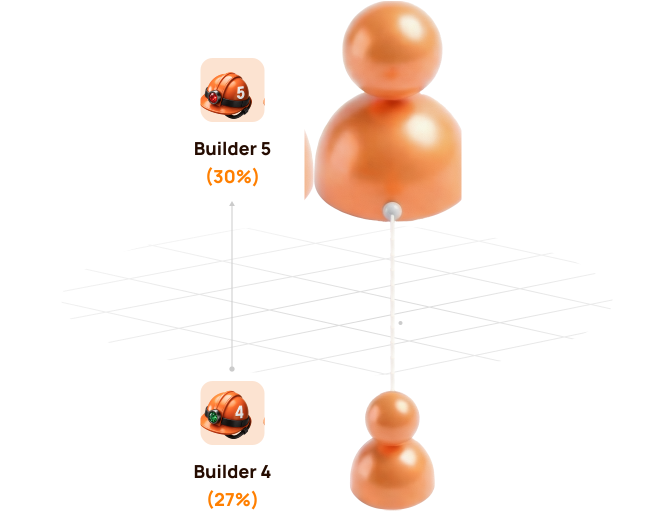
There are Start, Builder 1-7, Master 1-7, and the top statuses Strategist, Ambassador, Director, Executive.
72What does Partner Status affect?
Partner Status determines the applicable Partner Reward percentage qualification and, from Master status, the possible Matching Reward percentage under current rules.
73How do I reach Builder?
You need to meet the requirements for personal active volume and structure according to the status table.
74How do I reach Master?
You need to meet higher requirements for personal, first-line, and deep volume.
75How do I reach Strategist, Ambassador, Director, Executive?
You need to meet higher requirements for personal, first-line, and deep volume.
76Can a status decrease?
Status may be recalculated based on the system’s current data: personal active volume, first line, deep volume, and activity period. If one of the parameters changes, the status may change under the program rules.
77Is status fixed forever?
Status requires maintaining activity: personal active volume, first line, deep volume, and activity period.
DAO / Voting
78What is DAO governance in Atlas?
DAO governance is a mechanism through which the community can take part in discussing and voting on important project matters.
79Who can vote?
The Personal Dashboard displays Voting Balance in the top bar, but this does not by itself mean that live proposals are available. Eligibility and voting weight will be determined by the rules published for an active proposal in the official governance interface.
80What can be voted on?
Voting may concern project parameters, development stages, and certain system rules — if these matters are officially put to the DAO.
81What are cycle epochs?
Cycle epochs appear in earlier conceptual materials and are not a current Smart Cycle 1 dashboard function. Use the active Personal Dashboard and the current official governance documents as the source of truth.
82Is DAO governance already working?
The public Atlas roadmap lists Governance for Q4 2026, and the official governance website is currently marked as under development. Voting Balance may be displayed in the Personal Dashboard, but it should not be treated as confirmation that live proposals are already available.
83Is Atlas a full-fledged DAO?
No. The correct wording: Atlas is not a full-fledged DAO, but uses DAO-inspired mechanics for certain community governance and voting functions.
84Can voting change any rules?
No. Voting can only work within officially permitted topics. Security matters, smart contract operation, legal restrictions, and critical parameters may be outside the scope of voting.

Security / Risks
85Does Atlas control my wallet or Smart Cycle funds?
Atlas cannot sign transactions for the participant or control the participant’s wallet. A confirmed Support Amount is handled by the applicable smart contract and liquidity mechanics defined by its code.
86Does Atlas store my private keys?
No. Private keys and seed phrases remain only with the wallet owner.
87Can I give my seed phrase to support?
No. The seed phrase must never be shared with anyone.
88What are the main risks?
The main risks are network errors, smart contract operation, human errors, choosing the wrong network, and the general limitations of Web3 infrastructure.
89What should I do if I suspect phishing?
Don’t connect your wallet, don’t sign transactions, verify the official domain, and contact support.
90Is this an investment?
Atlas should not be described as a classic investment with guaranteed income. It is a Web3 participation mechanic through a smart contract, where the user evaluates the rules, the calculation model, and the risks themselves.
91If Atlas has no legal entity, are rules and documents still needed?
Atlas may operate through a smart contract without a classic legal entity, but this does not remove the need for rules, risk notices, a data policy, disclaimers, and compliance with applicable requirements in different countries.
92Who is responsible for a confirmed transaction?
The user confirms the transaction in their own wallet and must verify the network, address, amount, and action. A blockchain transaction cannot be canceled after confirmation.
93Which source of information is considered official?
The official Atlas website and the documents published on it. Webinars, presentations, posts, translations, and partner materials are supplementary.

Support / Errors
94What should I attach when contacting support?
To help support assist you faster, send the wallet address, tx hash, network, a screenshot of the error, and a brief description of the problem right away.
95What should I never send to support?
Your seed phrase, private key, access codes, and full device data.
96What is a tx hash?
A tx hash is the public identifier of a transaction on the blockchain. With it, you can check the operation’s status, addresses, amount, network, and error on BscScan: https://bscscan.com/ (https://bscscan.com/)
97Why is my transaction pending?
The network has not yet confirmed the transaction, or the gas was too low. Pending does not mean lost funds; wait for the final success/failed status.
98Why did my transaction fail?
There may be insufficient gas, the wrong network, an insufficient balance, or a contract condition error.
99What should I do if I selected the wrong network?
Switch your wallet to the correct BNB Smart Chain network and refresh the page.
100What can support check?
Support can check the tx hash, wallet address, network, transaction status, MetaMask error, and how the action is displayed in the dashboard. Support cannot cancel a confirmed transaction or restore a seed phrase.
101How long until support responds?
Response time depends on the team’s workload and the complexity of the issue.
Materials / Education
102Where can I see the webinar schedule?
The webinar schedule is shown in your personal dashboard: language, topic, host, date, time, time zone, and a link to apply/join.

Analytics / Metrics
103What counts as registration?
The first MetaMask connection.

