
Sorun Giderme
Eylemi tekrarlamadan önce sorunu bulun
Çoğu Atlas sorunu beş katman kontrol edilerek bulunabilir: resmi web sitesi, bağlı MetaMask hesabı, BNB Smart Chain, BscScan üzerindeki işlem ve Kişisel Kontrol Paneli. Bu kılavuz, her yaygın belirti için güvenli bir sonraki adım sunar.
Önceki işlemin net bir nihai durumu olana kadar zincir üstü bir eylemi tekrarlamayın. Önce Tx Hash'ini bulun ve BscScan'i kontrol edin.


Tanı rotası
| Gördüğün şey | Kontrol edilecek ilk kaynak | Tipik sonraki adım |
|---|---|---|
| Cüzdan bağlanmıyor | MetaMask hesabı, BSC ve site izni | Doğru hesabı yeniden bağlayın |
| İşlem Beklemede veya Başarısız | BscScan'deki İşlem Hash'i | Onaylanan nedeni bekleyin veya düzeltin |
| Çevrim veya Talep gösterilmiyor | Hesap, döngü durumu ve zincir içi sonuç | Yalnızca hash kontrol edildikten sonra yenileyin |
1. Tekrar denemeden önce beş kontrol gerçekleştirin
Hata mesajı açık görünse bile buradan başlayın. Bu kontroller, mükerrer işlemleri ve yanlış hesap sorunlarının çoğunu önler.
 Resmi alan adıatlas-system.tech
 Doğru hesapBeklenen duyuru
 BNB Akıllı ZinciriBSC seçildi
 USDT + BNBMiktar ve gaz
 Önceki İşlem Hash'iÖnce son durum
1. Resmi alan adı
Atlas'ı şuradan aç: atlas-system.tech ve cüzdanı bağlamadan önce tüm adresi doğrulayın.
2. Doğru MetaMask hesabı
MetaMask'taki hesap, ilgili Atlas profili, Akıllı Döngü veya Talep için kullanılan genel adresle aynı olmalıdır.
3. BNB Smart Chain
Atlas kullanır BNB Smart Chain (BSC). Bir Atlas işlemi için kullanılan USDT, şurada olmalıdır: BEP20 ağ.
4. İki bakiyeyi ayırın
- USDT seçilen Destek Miktarını veya diğer token miktarını kapsar.
- BNB BSC ağının gas ücretini karşılar.
Yaklaşık olarak tutmak $5, BNB cinsinden pratik bir başlangıç referansıdır, ancak gerçek ücret değişiklik gösterir. Her zaman MetaMask tarafından gösterilen tahmini inceleyin.
5. Önceki İşlem Hash'i
Bir işlem zaten gönderildiyse, tekrar tıklamadan önce BscScan üzerindeki Tx Hash'ini kontrol edin. Yavaş bir Kontrol Paneli güncellemesi, mükerrer bir işlem oluşturmak için bir neden değildir.
2. MetaMask bağlanmıyor ya da Atlas cüzdanı görmüyor
Sık görülen belirtiler arasında inaktif bir Cüzdanı Bağla buton, MetaMask'ın açılmaması, Atlas'ın sürekli bağlantı istemesi veya Kontrol Panelinde farklı bir cüzdan adresinin görünmesi.
Şu sırayla kontrol edin
- Resmi MetaMask uzantısının yüklü ve etkinleştirilmiş olduğunu onaylayın.
- Basmadan önce MetaMask'in kilidini açın Cüzdanı Bağla.
- İstediğiniz hesabı seçin.
- Seç BNB Akıllı Zinciri.
- Şunu kontrol edin:
app.atlas-system.techhesaba bağlanmasına izin verilir. - Tarayıcı pop-up penceresini engelledi ise, cüzdan pop-up penceresine izin verin.
- Atlas sayfasını yenileyin ve yeniden bağlanın.
Bir telefonda, içindeki tarayıcıdan Atlas’ı açın MetaMask Mobil normal bir mobil tarayıcı, cüzdana bağlantıyı sağlayamadığında.
Bağlantı kurulduktan sonra adres değişti
Seçilen MetaMask hesabını değiştirmek, Atlas’ta gösterilen genel adresi değiştirir. Farklı bir hesapta farklı profil, döngü ve Ortaklık Programı verileri bulunabilir. Verilerin eksik olduğunu varsaymadan önce, orijinal cüzdanı yeniden bağlayın.
Atlas destek ekibi, bir bağlantı sorununu teşhis etmek için Gizli Kurtarma İfadenize, özel anahtarınıza veya MetaMask şifrenize ihtiyaç duymaz.
3. Yanlış ağ, eksik USDT veya yetersiz bakiye
İşlem tutarıBEP20 ağındaki USDTŞebeke gazıBSC işlem ücretiYanlış ağ
MetaMask'ı şuna geçirin: BNB Akıllı Zinciri, Atlas’a geri dönün ve sayfayı yenileyin. Kaynağı bilinmeyen bir ağda Atlas işlemini onaylamayın.
USDT is not visible
Check that the token is USDT on BEP20 and that the intended account is selected. If the token is hidden in MetaMask, add it only by using the official token contract reference.
Tokens sent through another network may not appear in Atlas. Recovery can be difficult or impossible, so verify the network and destination before every transfer.
Insufficient funds
Check USDT and BNB separately:
| Message or symptom | Balance to check | Why |
|---|---|---|
| Support Amount is unavailable | USDT BEP20 | The token amount is too low for the selected action. |
| Insufficient funds for gas | BNB | The wallet cannot pay the BSC network fee. |
| Amount is visible but Confirm fails | USDT, BNB and spending permission | One of the action requirements may still be missing. |
Do not send tokens again until the original transfer, network and receiving address have been verified.
4. MetaMask rejects the request or shows an unclear error
MetaMask messages describe different stages. First identify whether the request was cancelled before submission or failed after being sent to the network.
User rejectedNo hash usually means nothing was submitted.Verify, then restart if neededInsufficient gasThe connected account needs more BNB.Check the MetaMask estimate Cannot estimate gasA contract condition may not be satisfied.Cancel and verify the actionUnexpected requestThe request does not match your click.Reject and check the domain
User rejected / Cancelled
The request was cancelled in the wallet. If no Tx Hash was created, an on-chain transaction was normally not submitted. Return to Atlas, verify the values and start again only if the action is still required.
Insufficient funds for gas
Add enough BNB to the connected account for the estimated network fee. The gas fee is separate from the USDT Support Amount.
Cannot estimate gas / Execution reverted
The contract may reject the current conditions: the action may not yet be available, the amount or permission may be incorrect, or the state may have changed. Do not raise the fee blindly. Cancel the request and verify the cycle, amount, contract and previous transaction.
Unexpected or unreadable request
Seç Reject. Check the official domain, the action that opened MetaMask and the contract address. If the purpose is still unclear, contact official support before confirming.
Connect, Sign, Approve and Confirm are different requests. See the Security guide before approving an action you do not recognise.
5. The transaction is Pending
What Pending means
The transaction has been submitted but does not yet have a final confirmed result. Pending does not by itself mean that funds are lost.
What to do
- Copy the Tx Hash from MetaMask or Atlas operation history.
- Open it on the official BscScan website.
- Confirm that the network is BNB Smart Chain and the sender is the expected wallet.
- Wait for a final Başarı veya Başarısız status.
- Refresh Atlas only after the on-chain status is clear.
What not to do
- Do not create another Smart Cycle while the first creation transaction is Pending.
- Do not press Claim repeatedly while the first Claim is Pending.
- Do not assume that closing the browser cancels a submitted transaction.
Speed Up veya Cancel may be available in the wallet. Each option can create another on-chain action and require BNB gas. Use it only when the wallet offers it for that exact transaction and you understand the result.
6. The transaction Failed or cannot be found
Status: Failed
Check the following before trying again:
- enough BNB for gas;
- the selected BNB Smart Chain network;
- enough USDT for the action;
- the intended account;
- the official Atlas contract address;
- the error or contract message shown by BscScan.
A failed transaction may still consume a BNB network fee because validators processed the attempted execution. Correct the identified cause before resubmitting.
Tx Hash is not found on BscScan
- Confirm that the link opens the BSC explorer, not an explorer for another network.
- Copy the complete Tx Hash again.
- Check whether MetaMask shows the operation as submitted.
- Wait briefly and refresh BscScan once.
If no Tx Hash was created, the action may have been rejected, only signed as a message or never submitted. If MetaMask shows a hash but BscScan still cannot find it, send that hash and a screenshot to support.
7. A Smart Cycle is missing or shows the wrong status
 BeklemedeWait. Do not create a duplicate.BaşarısızCorrect the confirmed cause.
 Success but missingRefresh Dashboard, then contact support with the hash.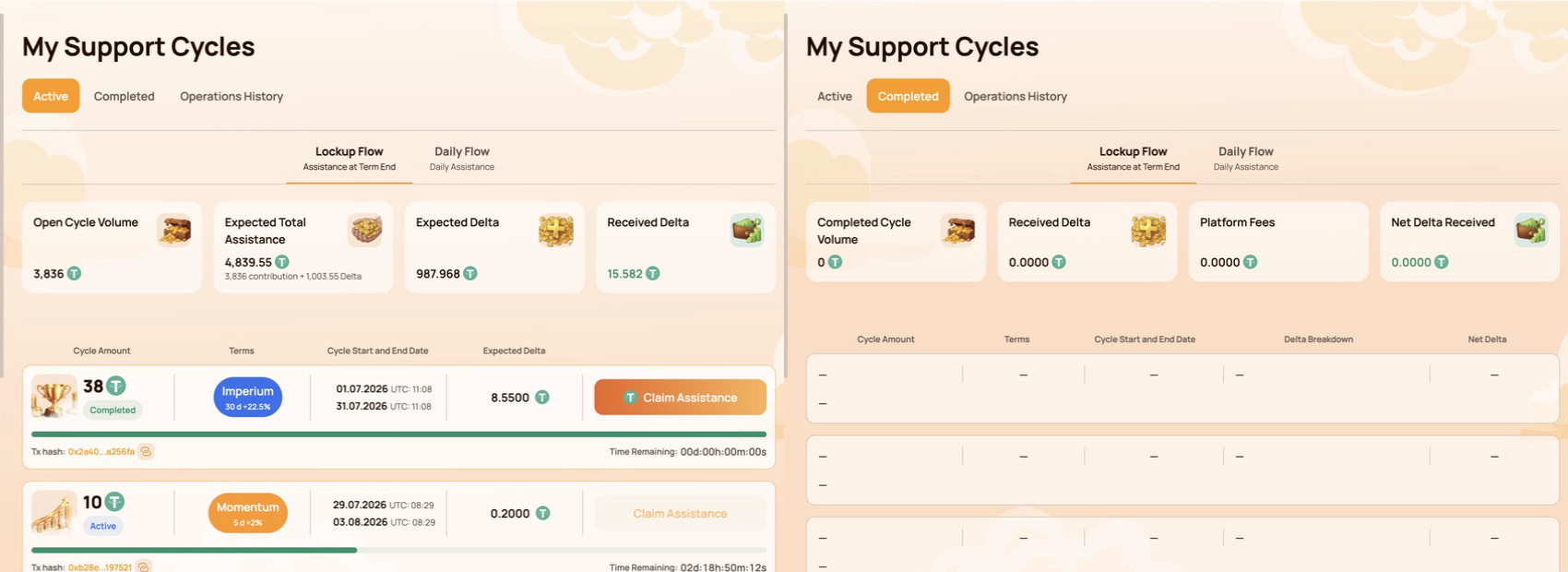
Check the wallet first
Confirm that Atlas is connected to the address that created the cycle. A different MetaMask account displays different activity.
Then check the creation transaction
| BscScan result | Ne demek | Sonraki adım |
|---|---|---|
| Beklemede | Creation is not final | Wait; do not create a duplicate cycle. |
| Başarısız | The cycle was not created by that transaction | Correct the confirmed cause before retrying. |
| Başarı | The contract call executed | Refresh the Dashboard and verify the contract and token transfer. |
If BscScan shows Başarı for the official contract but the cycle is still absent after the Dashboard refreshes, contact support with the wallet address and Tx Hash.
A Dashboard delay is not evidence that the cycle or funds are lost. Use the public on-chain record to establish what happened first.
8. Claim is unavailable, Pending or Failed
 Button missingCheck account, BSC, cycle status, term and available amount.BeklemedeOpen the Tx Hash and wait. Do not repeat Claim.BaşarısızCheck gas, availability and the on-chain error.
The Claim button is missing
Check:
- the connected MetaMask account;
- BNB Smart Chain;
- the Smart Cycle status and completion time;
- whether the interface shows an available amount;
- whether a previous Claim is already Pending;
- the cycle and contract data on BscScan.
Claim appears only when it is available under the selected Smart Cycle rules. A completed calendar period alone does not replace the current contract state displayed by Atlas.
Claim is Pending
Open the Tx Hash on BscScan and wait for a final result. Do not send another Claim while the first transaction is Pending.
Claim Failed
Check BNB gas, the network, the connected account, Claim availability and the error shown by the contract or BscScan. Retry only after the reason has been corrected.
Which asset pays the fee?
The standard BSC gas fee is paid in BNB. If the connected wallet supports Gas Station or a similar USDT gas feature, the wallet shows the available payment method and exact fee before Confirm. This network fee is separate from any Atlas Platform Fee.
No legitimate support agent needs an extra transfer, seed phrase or private key to “unlock” Claim.
9. Dashboard balance or history is delayed
Three interfaces can show different views of the same activity.
BscScanPublic on-chain status and token transfers→
 Bağlantılı cüzdanAssets and activity for the selected address
→
Atlas DashboardProcessed interface view that may update later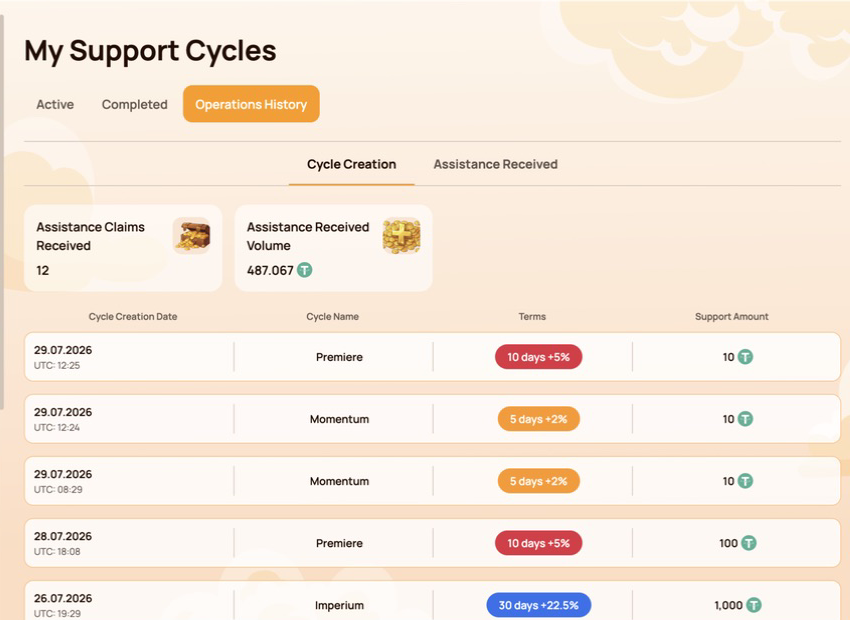
BscScan
Shows the public transaction status, sender, contract interaction, token transfers and network fee.
MetaMask
Shows assets and activity for the currently selected public address. A hidden token or different selected account can make a balance appear different.
Atlas Dashboard
Displays Atlas activity and processed contract data. The interface may update after the blockchain transaction has already reached Success.
Verification order
- Confirm the public wallet address.
- Check the Tx Hash and Status on BscScan.
- Review BEP-20 Token Transfers and the amount.
- Refresh the Personal Dashboard.
- If on-chain Success is not reflected, send the evidence to support.
10. Stop and do not repeat the action
Seç Reject veya Cancel and stop if:
- MetaMask opened without an action you initiated;
- the website domain or contract address does not match an official reference;
- the wallet request is unreadable or does not match the selected action;
- the previous transaction is still Pending;
- the wallet or Secret Recovery Phrase may be compromised;
- someone asks for a transfer to “verify the wallet” or “unlock Claim”.
Save the public evidence, open Atlas manually through atlas-system.tech and use an official support channel. For wallet compromise, follow the separate Security guide immediately.
11. Contact support with a complete diagnostic packet
Support can investigate faster when the first message contains the public technical facts.
CüzdanPublic addressTx HashOr “not created”AğBNB Akıllı ZinciriAtlas actionPage and button ExpectedIntended resultActualError and screenshot
Include
- public wallet address;
- Tx Hash;
- BNB Akıllı Zinciri;
- the Atlas page, section and action;
- date and approximate time;
- expected result and what actually happened;
- screenshot of the error with secret information removed.
Never include
- Secret Recovery Phrase or seed phrase;
- private key;
- MetaMask password;
- access or verification codes;
- complete device backups or remote access.
Support can review the wallet address, network, hash, transaction status, MetaMask message and Dashboard display. Support cannot cancel a confirmed blockchain transaction or restore a Secret Recovery Phrase.
Copyable message template
Wallet: 0x…
Ağ BNB Akıllı Zinciri
Atlas section/action: …
Tx Hash: 0x… / not created
Date and time: …
Expected: …
Actual result or error: …
12. Quick symptom reference
| Gördüğün şey | Check first | Do not do |
|---|---|---|
| Wallet not connected | MetaMask, account, BSC and site permission | Never enter a seed phrase. |
| Yanlış ağ | BNB Akıllı Zinciri | Do not confirm on an unexplained network. |
| Insufficient funds | USDT tutarı ve BNB gas bakiyesi ayrı ayrı | İki bakiyeyi birbirine karıştırmayın. |
| Beklemede | BscScan'deki İşlem Hash'i | Aynı işlemi yeniden oluşturmayın. |
| Başarısız | Gas, bakiye, ağ ve sözleşme koşulu | Nedeni belirlemeden işlemi tekrarlamayın. |
| Cycle missing | Hesap, oluşturma Tx Hash’i ve Kontrol Paneli eşitlemesi | Hemen ikinci bir döngü oluşturmayın. |
| Claim missing | Döngü durumu, süresi ve kullanılabilir tutar | Yardım Talebinin "kilidini açmak" için asla ödeme yapmayın. |
| Gösterge paneli gecikmesi | Zincir üstü durum ve Token Transferleri | Arayüz gecikmesini kayıp kanıtı olarak değerlendirmeyin. |
One rule to remember: establish the on-chain status first, then decide whether to wait, correct the cause or contact support.

